Everything in it, and nothing that isn't.
Every Celorly feature in one place, grouped, so you can check for the thing you actually came to check.
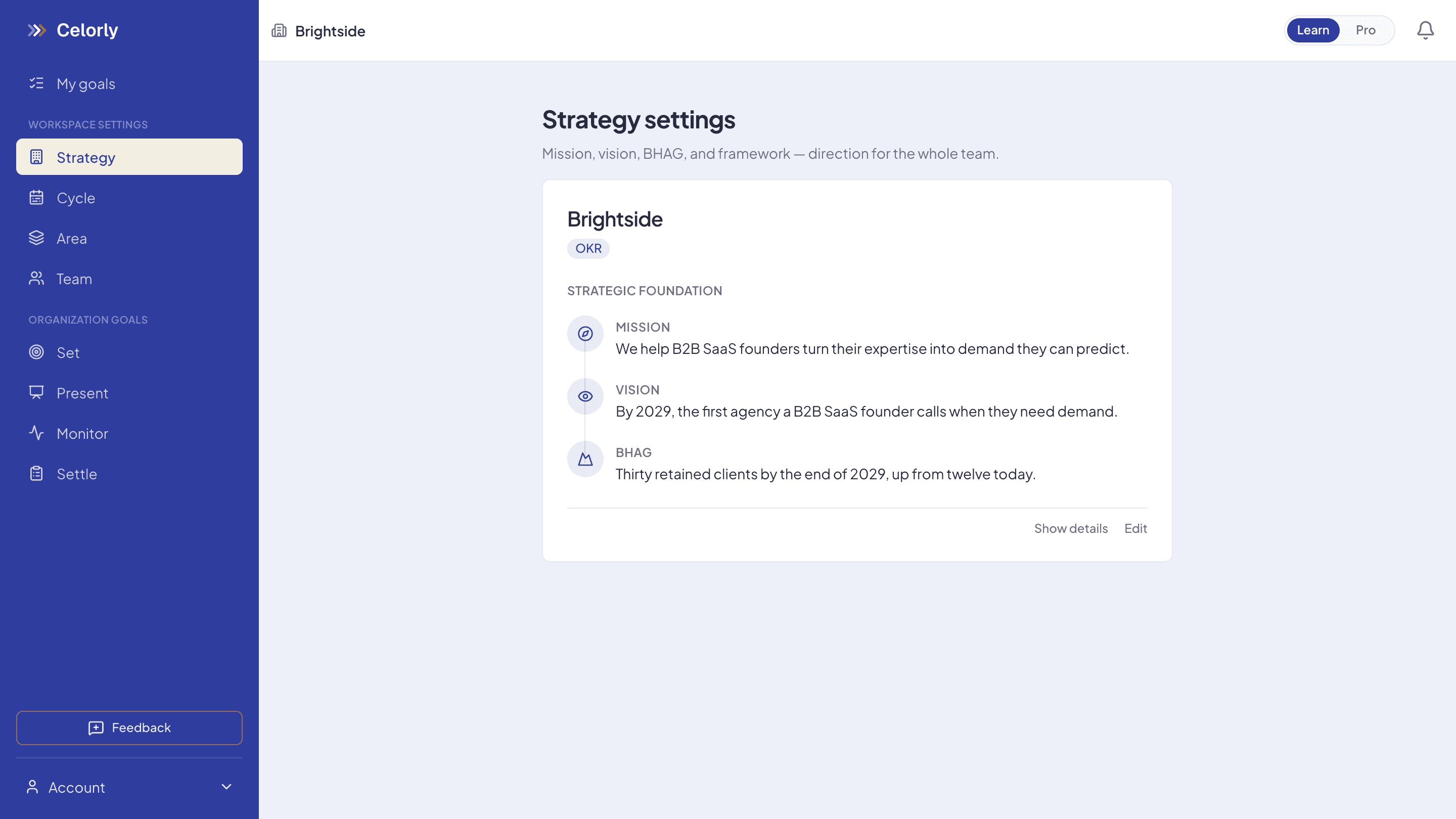
The layer above your goals
Every feature on this page is in every plan, including the free one. Price follows how many people are in the workspace, never which features you are allowed to touch.
Mission, vision, BHAG and strategy in one ladder
The direction lives in the product rather than in a slide deck, so a goal can be traced to the thing it is supposed to serve.
Cycles
The period you plan for, usually a quarter, and you can nest quarters inside a year. Goals live inside a cycle, which is what makes an honest close possible.
Areas and people
Split the company into the parts that own work, and place people in them. This is the setup you do once and then barely touch.
Writing the goals
OKR or SMART, per workspace
Not a label on a settings page: your choice reshapes the form. Objectives with key results underneath, or one goal with a metric, a baseline, a target and a deadline.
One named owner, always
A goal cannot exist without a person attached. No shared accountability, no goal that belongs to everybody and therefore to nobody.
Parent goals
Every goal can point at the one above it, so anyone can follow their own work up to a company priority in a few clicks.
Proposed goals
Somebody can write a goal and send it to a lead to approve, instead of it being handed down or quietly invented.
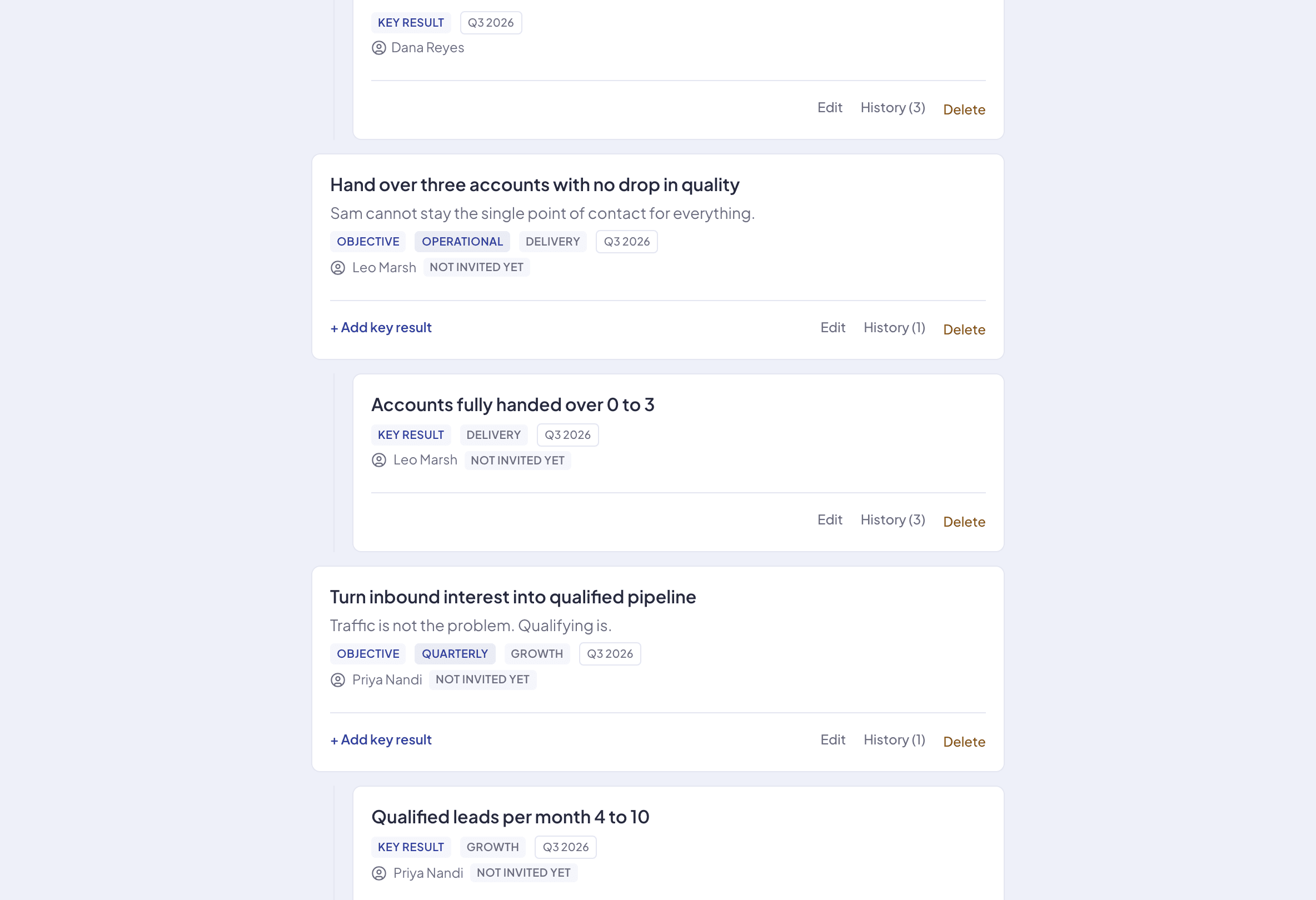
Keeping them alive between kickoff and close
Weekly check-in
The owner updates a number and a status: on track, at risk, behind. It takes seconds and it is the whole ritual, not a status report.
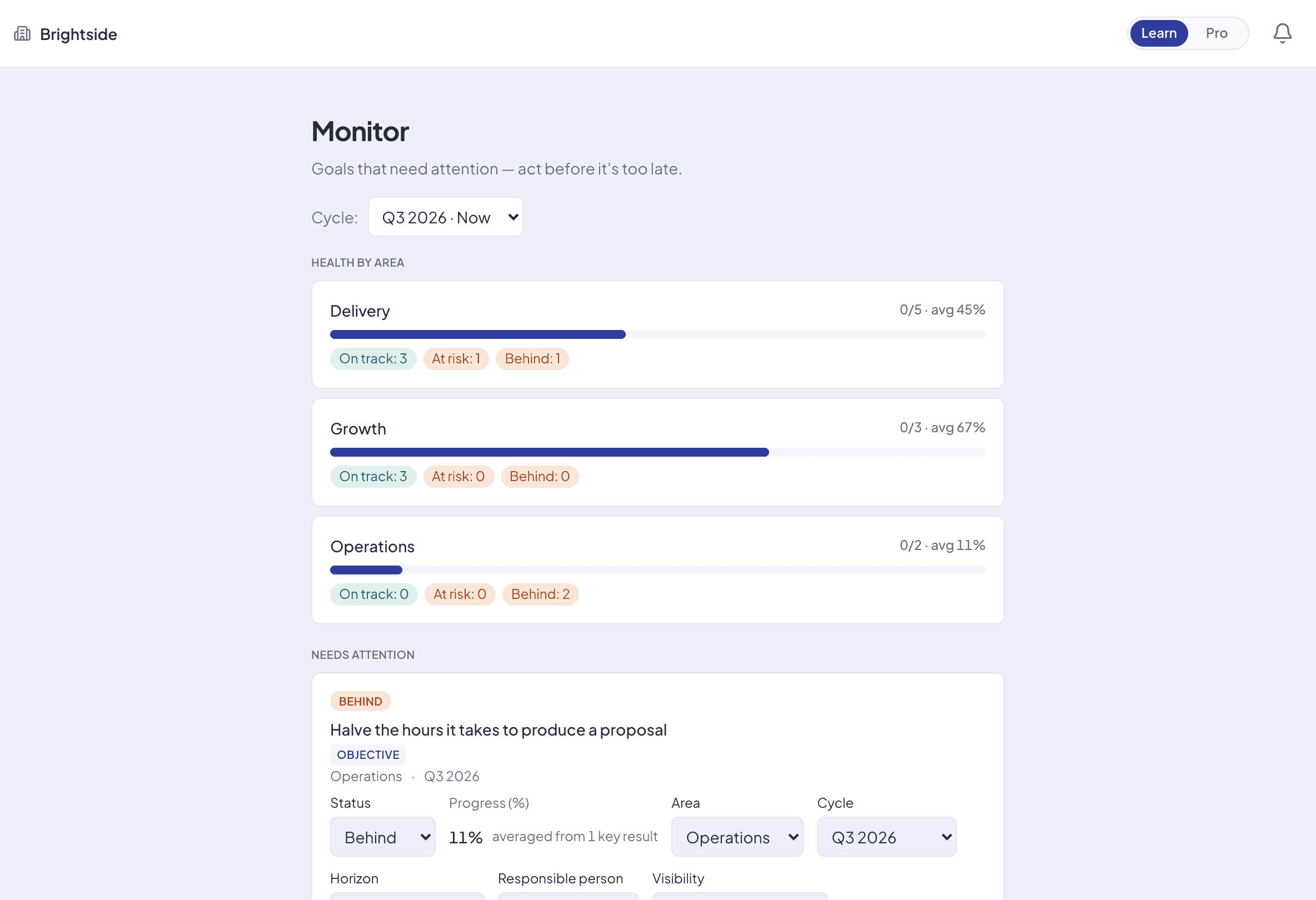
Monitor
Every goal with its status, sorted so at risk and behind come first. The weekly conversation starts where it matters instead of at row one.
Presentation mode
A clean full-screen view of the cycle for a team meeting: goals, owners, progress, and none of the editing chrome in the way.
Ending a cycle with a result you can use
OKR scoring
Each key result scores 0.0 to 1.0 and the objective takes their average, so around 0.7 reads as a strong result on a genuine stretch rather than a failure.
SMART scoring
Met, partial or missed. Simpler to run and easier for a team new to structured goals.
Results stay with the cycle
Last quarter's scores stay attached to last quarter, so the next planning session starts from what happened instead of from memory.
Who sees what, and whose data it is
Selective visibility
Visibility is set per goal, because not every goal in a company is everybody's business.
Roles you grant and revoke
Access changes in a click, and members see the structure they need without being able to edit it.
People without invitations
Place someone in the structure before they have an account, useful for mapping the whole team or assigning a goal to a person who starts next month.
Transfer, leave or delete
You can hand a workspace over, walk away from it, or delete it outright, from inside the app and without asking us.
The method, not just the buttons
Celorly Academy, free
A school for the method itself. You make decisions inside a realistic company and see the consequences, rather than memorising definitions.
Public, no email wall
Every lesson is readable without an account. A free account only saves your progress and carries your certificate once you have earned it.
Certificates that can be failed
Every course ends with an exam you can genuinely fail, and a certificate with a public verification page. No credential for turning up.
Works without the tool
The Academy is deliberately tool-agnostic: the lessons run on a spreadsheet and a calendar if that is what you have.
What Celorly does not do
Worth knowing before you put a quarter in, not after. Every one of these is a deliberate choice rather than a gap we are hiding.
No tasks, no time tracking, no reviews
Celorly is only goals. Whatever you use for tasks keeps its job, and performance reviews are somebody else's product on purpose.
No integrations
No Slack, no Jira, and that is deliberate. Every integration is a setting, a permission screen and a support burden for something that is not goal-setting.
No data export yet
There is no export button today. We would rather say so here than let you find out after you have put a quarter in.
Nothing to install
Celorly runs in a browser, on a laptop or a phone. There is no native mobile app to download and no desktop client.
Where to look next
If you want to watch the loop run end to end, six steps and the screen that belongs to each one, read how it works. If you want the reasoning behind what is missing from the list above, that is why Celorly. And what each plan costs is on pricing →
Set goals that actually stick.
Free while it's just you. Pay only when you invite your team.